> ## Documentation Index
> Fetch the complete documentation index at: https://documentation.litmuscheck.com/llms.txt
> Use this file to discover all available pages before exploring further.
# Planning Agent
> Plans test goals, segments, and execution strategy
## Overview
The Planning AI Agent creates comprehensive test plans based on feature descriptions. It analyzes your feature requirements and generates a structured set of test cases that cover various scenarios, edge cases, and user flows.
## How It Works
1. **Provide a Feature Description**: Go to the **Plan** tab in any suite and enter a detailed description of the feature you want to test. The more context you provide, the better the generated test plan will be.
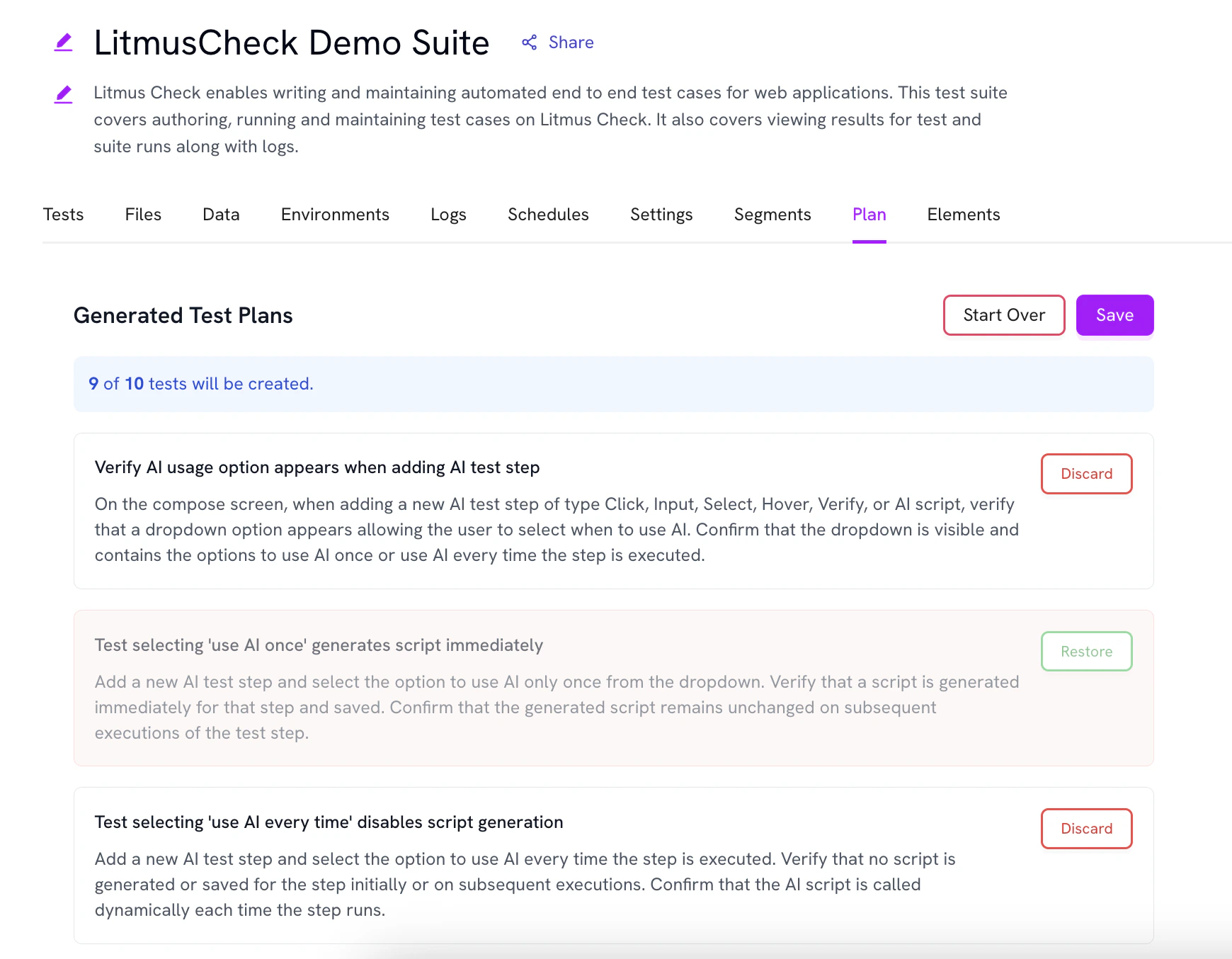
2. **Generate Test Cases**: The Planning Agent generates **10 test cases at a time**, covering different aspects of your feature including:
* Happy path scenarios
* Edge cases
* Error handling
3. **Review**: Review the generated test cases and dsicard the ones that are not relevant to your testing needs.
4. **Add to Suite**: Selected test cases are added to your suite as **draft tests**, which you can then refine, edit, and execute.
 **Generating better plans**
Adding descriptions to your suite and existing test cases helps the Planning Agent generate better, more contextually relevant test cases. The agent uses this information to understand your testing patterns, coverage gaps, and the overall structure of your test suite.
## Best Practices
* **Be Specific**: Provide detailed feature descriptions including user roles, expected behaviors, and key interactions.
* **Include Context**: Mention related features, dependencies, or constraints that might affect testing.
* **Review Generated Cases**: Not all generated test cases may be relevant—select only those that align with your testing goals.
**Generating better plans**
Adding descriptions to your suite and existing test cases helps the Planning Agent generate better, more contextually relevant test cases. The agent uses this information to understand your testing patterns, coverage gaps, and the overall structure of your test suite.
## Best Practices
* **Be Specific**: Provide detailed feature descriptions including user roles, expected behaviors, and key interactions.
* **Include Context**: Mention related features, dependencies, or constraints that might affect testing.
* **Review Generated Cases**: Not all generated test cases may be relevant—select only those that align with your testing goals.