> ## Documentation Index
> Fetch the complete documentation index at: https://documentation.litmuscheck.com/llms.txt
> Use this file to discover all available pages before exploring further.
# Run Script
> Execute custom Playwright code snippets within your test
## Usecase
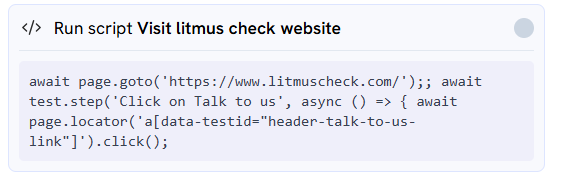
**Purpose:** This is a powerful, advanced action for users who need to run custom code snippets. It gives you direct access to the Playwright execution context, allowing you to perform complex actions, custom assertions, or page manipulations.
This option is available under the "Add an instruction" dropdown.
***
### Arguments
This action requires two inputs:
* **Enter Description here:** A plain-English overview of what your code does (e.g., "Fetches a value from local storage"). This is for your own reference to keep the test readable.
* **Enter your script here:** The actual Playwright-compatible JavaScript code you want to execute.
***
### How to Use
1. Select **"Run Script"** from the "Add an instruction" dropdown.
2. Fill in the **Description** and **Script** fields with your notes and code.
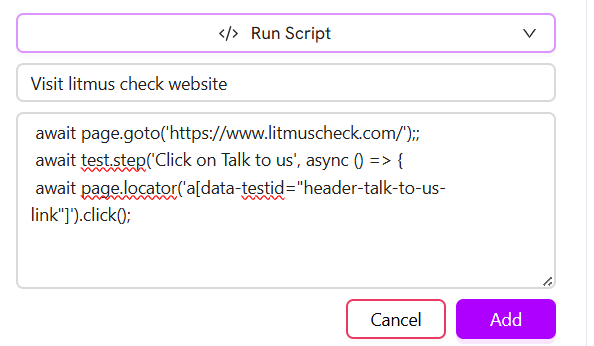 3. Click the **"Add"** button. The custom script will immediately execute in the browser context.
4. You can see the result or output of your script in the execution window, just like a standard test step.
3. Click the **"Add"** button. The custom script will immediately execute in the browser context.
4. You can see the result or output of your script in the execution window, just like a standard test step.