> ## Documentation Index
> Fetch the complete documentation index at: https://documentation.litmuscheck.com/llms.txt
> Use this file to discover all available pages before exploring further.
# Runtime Configuration
> Configure environments, secrets, and test runtime settings
## Add Environment
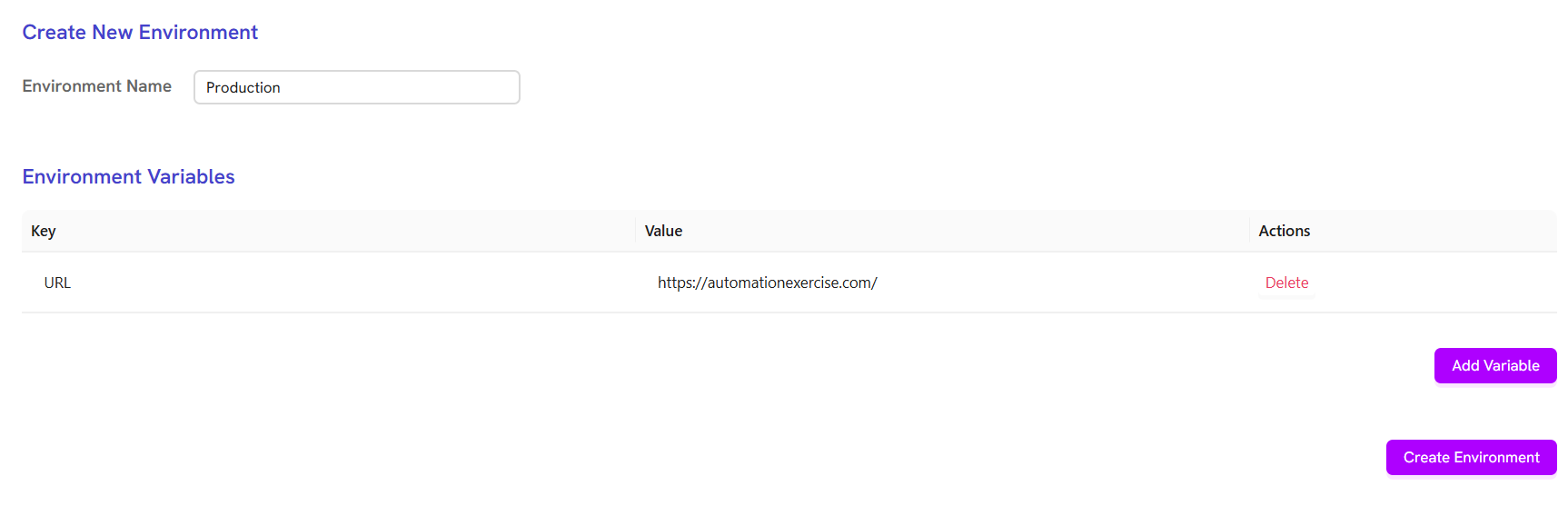
To add a new environment to your suite, including secrets, variables, and other configuration details:
1. Go to the suite.
2. Click on the **Environments** tab.
3. Click on **+ Add environment**.
4. Enter the environment name.
5. Add variable details, such as variable name and value.
6. Click **Create Environment**.
 ## Select Environment and Run Test or Suite
To run a test or suite with a specific environment:
1. On the suite page, click the dropdown labeled **No environment** next to the suite name.
2. Select the desired environment from the list.
3. Click **Run** to execute the suite, or run any individual test from the suite page or test page.
## Select Environment and Run Test or Suite
To run a test or suite with a specific environment:
1. On the suite page, click the dropdown labeled **No environment** next to the suite name.
2. Select the desired environment from the list.
3. Click **Run** to execute the suite, or run any individual test from the suite page or test page.
