> ## Documentation Index
> Fetch the complete documentation index at: https://documentation.litmuscheck.com/llms.txt
> Use this file to discover all available pages before exploring further.
# Schedules
> Create, manage, and automate recurring test runs
## Scheduling suite runs
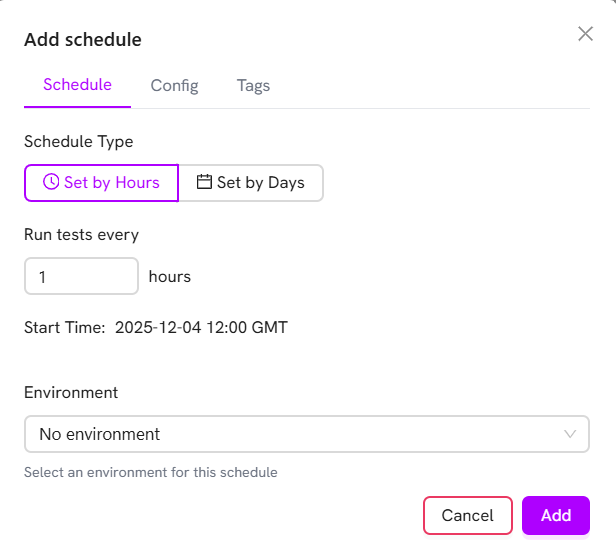 1. Open the suite and select the **Schedules** tab.
2. Click **Add Schedule**.
3. Choose hourly or daily recurrence.
4. Select the **Environment**, **Tags** and **Config**.
5. Click **Add**.
1. Open the suite and select the **Schedules** tab.
2. Click **Add Schedule**.
3. Choose hourly or daily recurrence.
4. Select the **Environment**, **Tags** and **Config**.
5. Click **Add**.
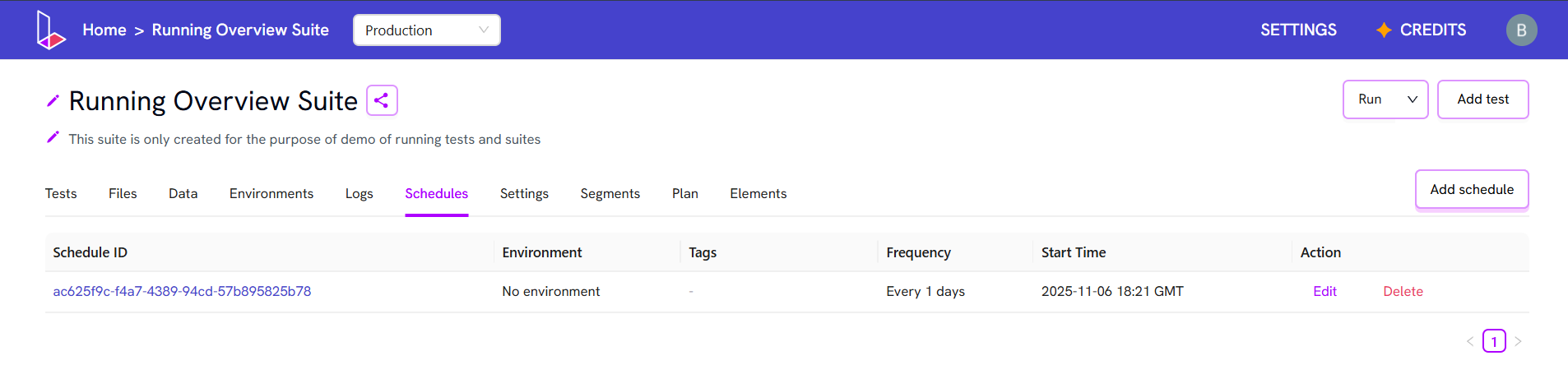 > **Note:** All schedules for that suite will appear in this view