Enable Test Healing Suggestions
To enable healing suggestions for flaky tests:- Go to the suite.
- Click on the Settings tab.
- Find the Offer Healing Suggestions option under the On test failure dropdown.
- Click on the Save button.
Using Healing Suggestions in Logs
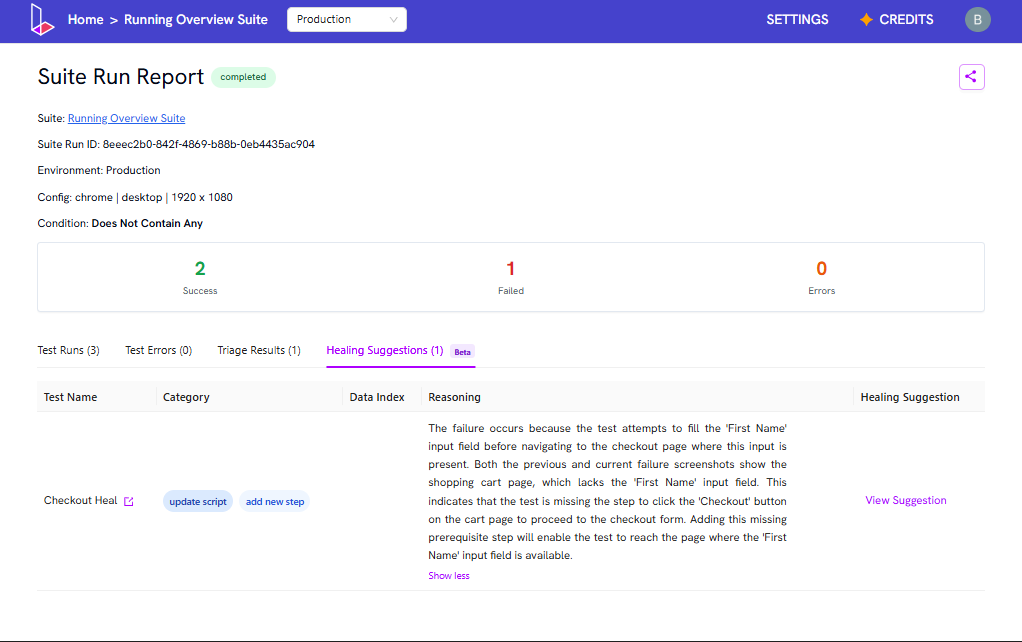
After every run, if a test fails, the report will include a section called Healing Suggestions. This section will suggest changes to fix the failure.- Review the reasoning provided for the suggested change.
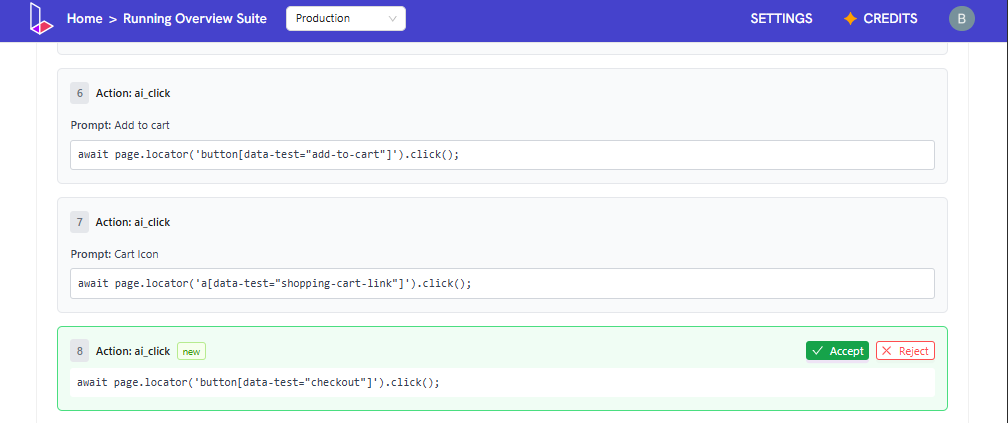
- Click View Suggestion to see the proposed update.
- If the change looks good, click Accept. The change will be applied directly to the test.
- If you do not want to apply the suggestion, click Reject to dismiss it.