Adding and Using Tags
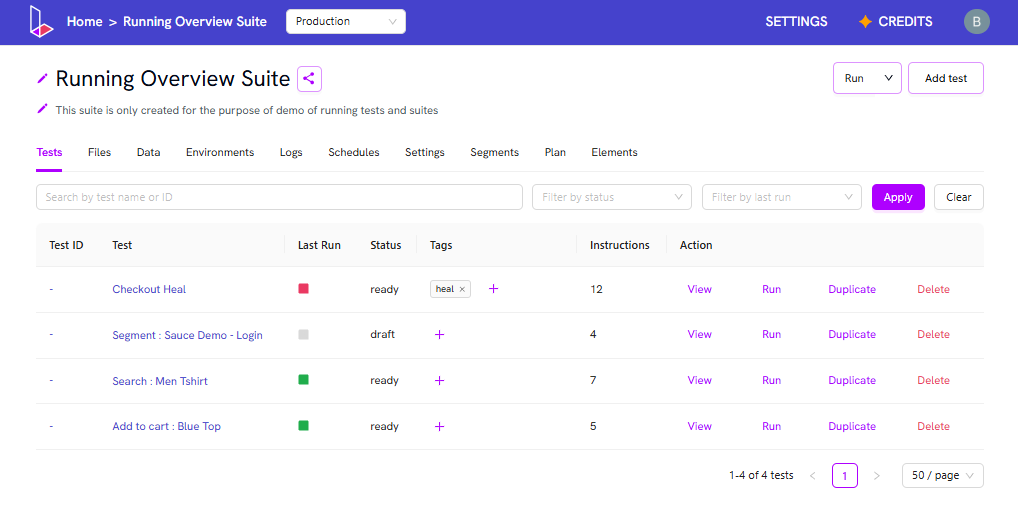
To add or use tags for your tests:- Go to the suite page.
- Click on the Add icon in the Tags section.
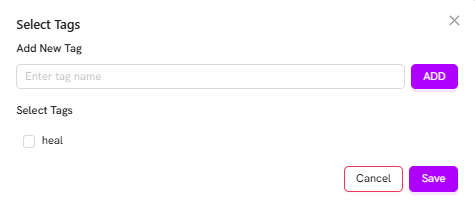
- Add a new tag by entering a name and clicking on Add.
- Or, select an existing tag and click Save.
Run a Suite Using Tags
To run a suite using tags:- On the suite page, click the dropdown arrow next to Run.
- Click on Choose config.
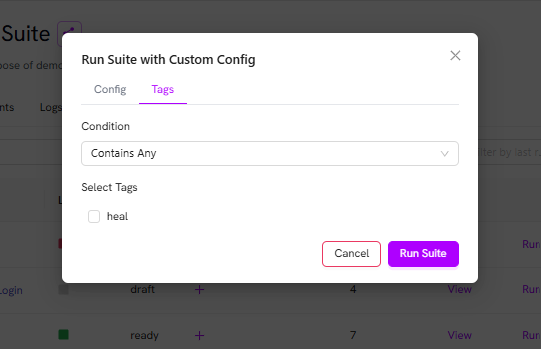
- In the configuration panel, go to the Tags section.
- Select the desired condition from the dropdown (e.g., Contains any or Does not contain any).
- Choose the tag(s) you want to use for filtering.
- Click Run Suite to execute the suite with the selected tag filter.